

Output Destinations
Overview
Syntien is highly flexible in terms of how it lets you connect to an output destination. There is no hard limit to the number of MIDI, OSC, or BLE destinations that you can connect to simultaneously. Configuring destinations for each output type follows the same pattern.
Default Destination
You can configure the global default destination from the

Named Destinations
This is also a global setting that you can access from the
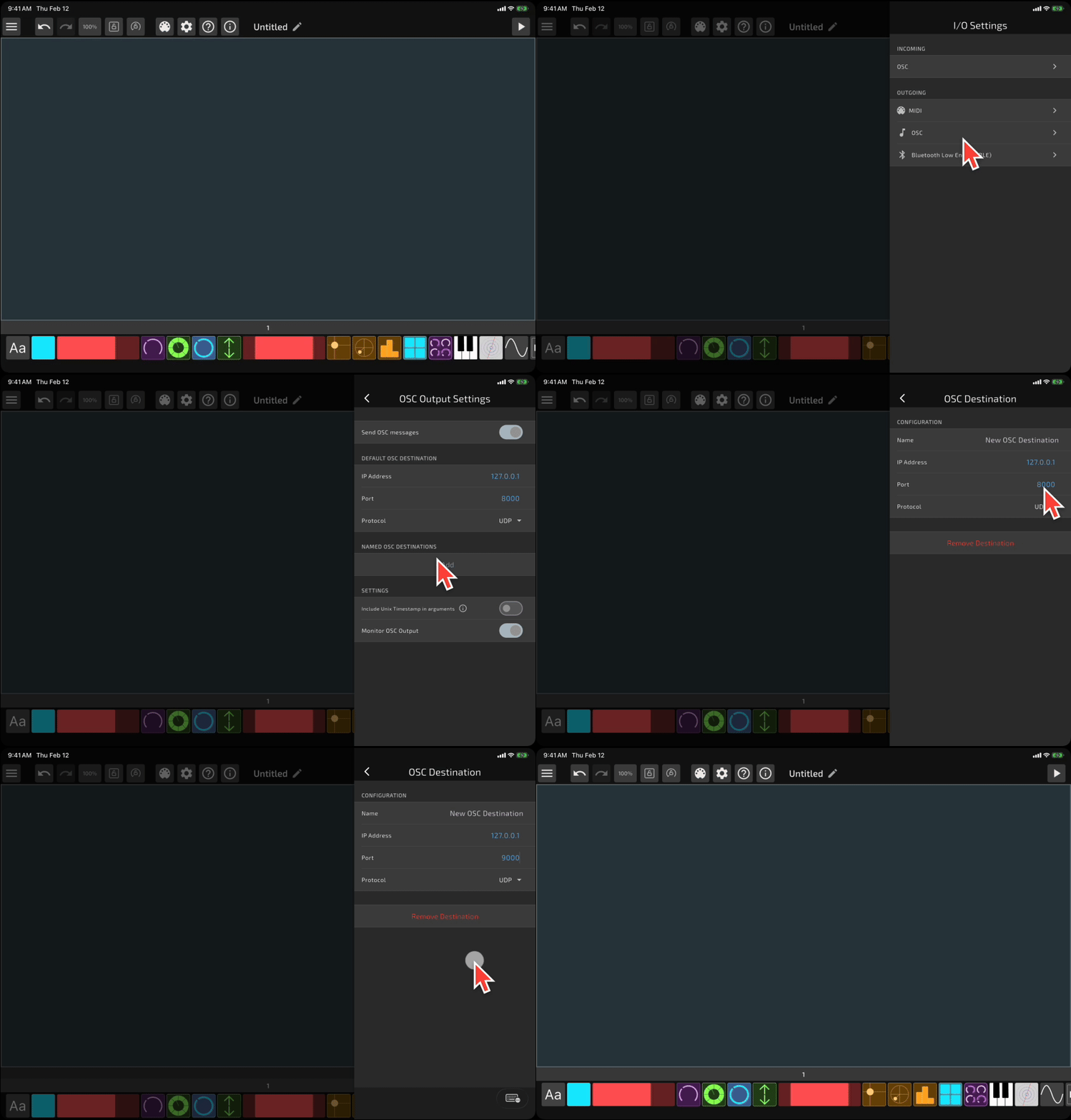
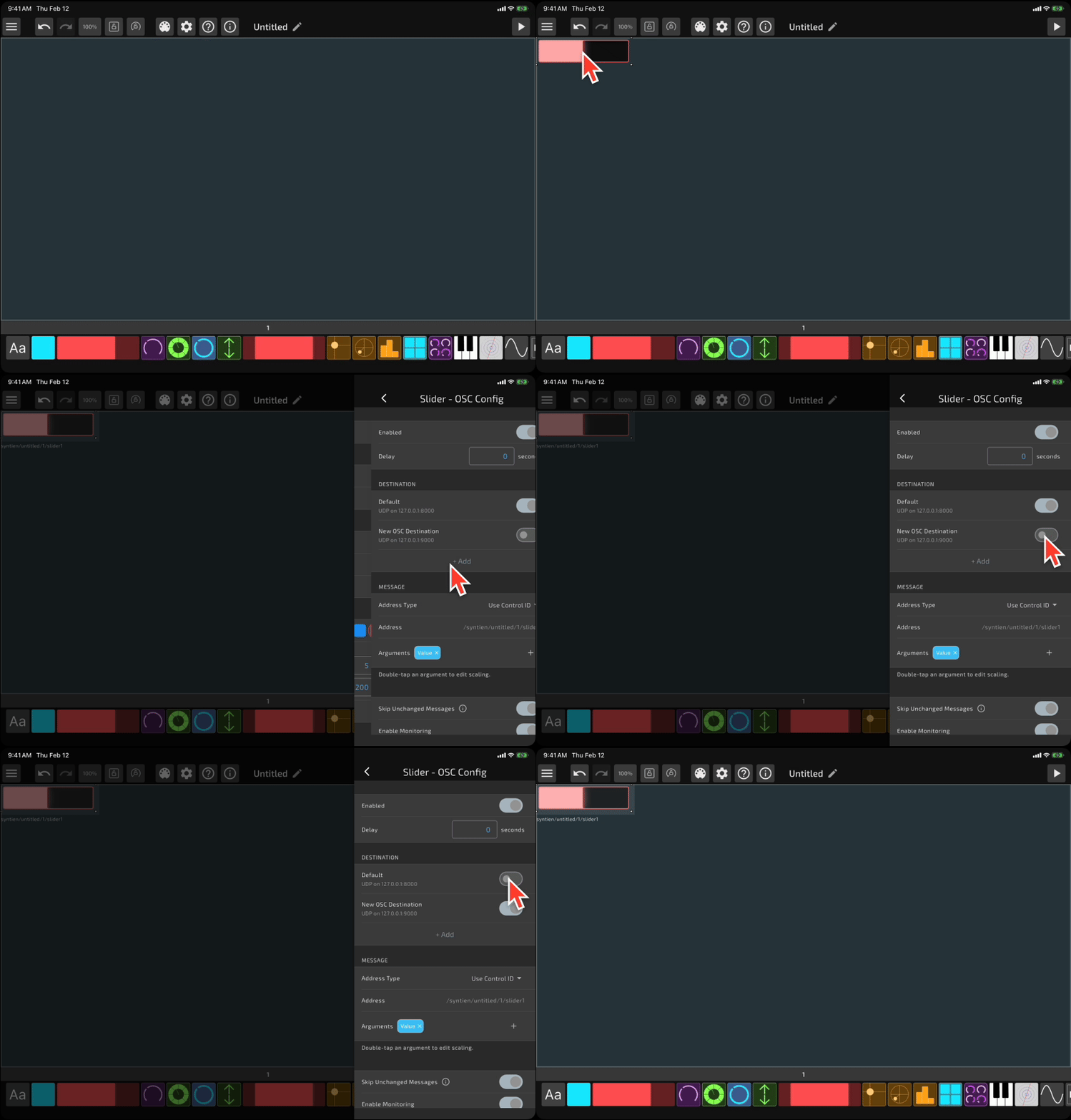
After creating a named destination, you can access it in the Control Options page when managing the configuration for a control.
Inline Destinations
Syntien also allows you to define one-off destinations for a specific control. You probably won't need this for most use cases, but if you want to specify a unique destination for a single control, you can do that when creating an output on the Control Options page.
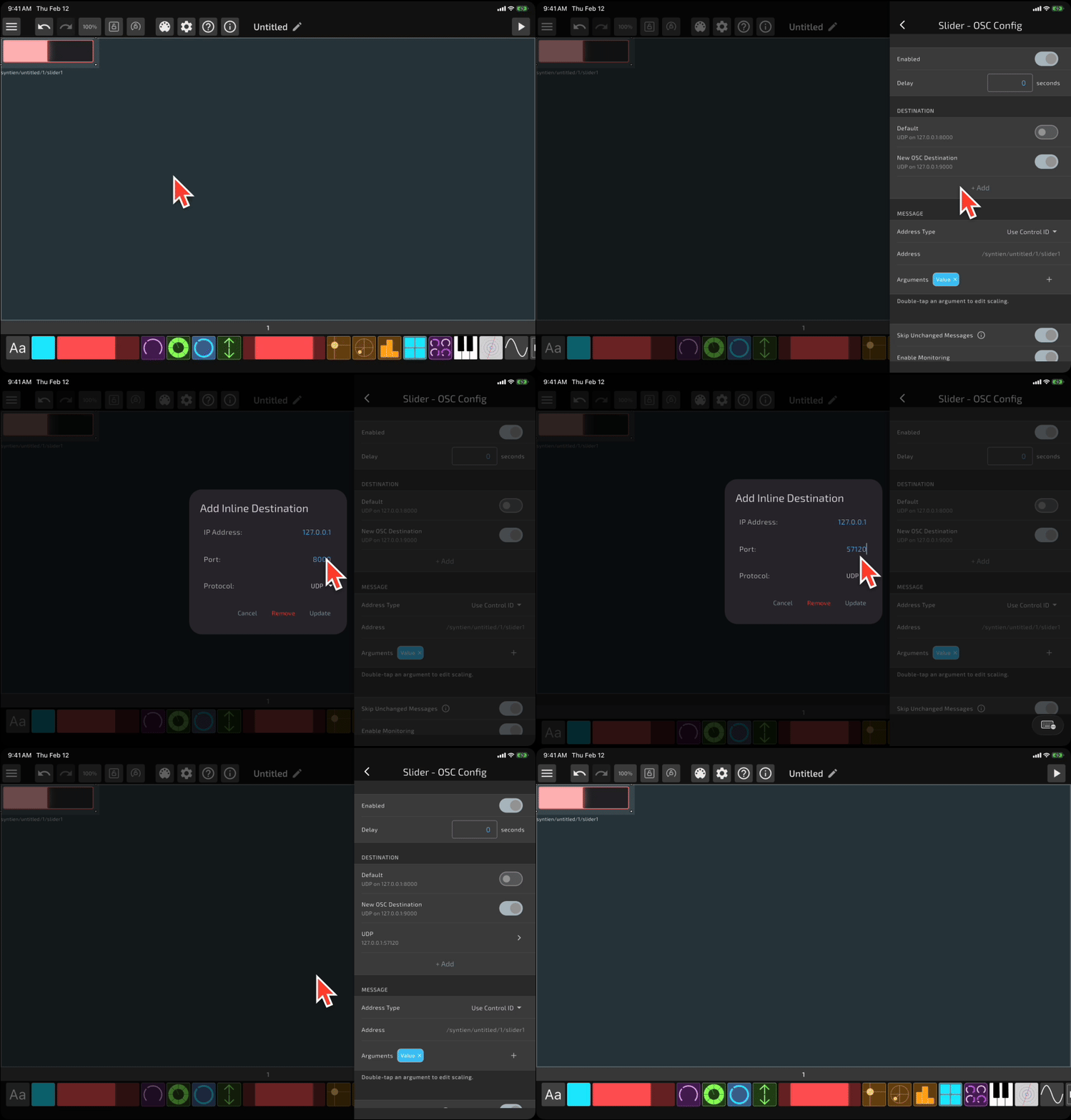
Controls can send data to any combination of the default destination, named destinations, and inline destinations simultaneously.