

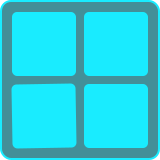
Button Matrix
A collection of buttons arranged in a matrix. This control can have up to 16 rows and 16 columns, and like the Button control, each button can have up to 16 states.
Settings
| Setting | Description |
|---|---|
| Number of States | The number of states each button can cycle through (1 to 16). When set to 1, the buttons can only be pressed and released. When set to 2, the buttons act as toggles or switches. |
| Number of Rows | The number of rows in the button matrix (1 to 16). |
| Number of Columns | The number of columns in the button matrix (1 to 16). |
| State Change Timing | Determines when a button changes state. "On Press" changes the state when a button is pressed down. "On Release" changes the state when a button is released. This setting has no effect if the number of states is 1. |
| Exclusive | When enabled, only a single button can be toggled on at a time. Toggling on a button will toggle off any other toggled-on button in the matrix. This setting is only relevant when the number of states is set to 2. |
Variables
The following variables can be used when configuring outputs for this control:
| Variable | Description |
|---|---|
| Row | The row index of the button, starting from 0 |
| Column | The column index of the buttom, starting from 0 |
| Button Index | The index of the button, starting from 0 at the top left |
| Is Pressed | 1 if the button is currently pressed, 0 if released |
| Value | The current state of the button |
OSC Messages
This control responds to the following OSC messages:
| Message | Description |
|---|---|
<address> position <x> <y> <width> <height> | Sets the control's position. Coordinates are specified in pixels. |
<address> color <blue|red|green|orange|purple|brown|gray> | Sets the control's color. |
<address> numRows <count> | Sets the number of rows (up to 16) |
<address> numColumns <count> | Sets the number of columns (up to 16) |
<address> numStates <count> | Sets the number of states for each button (up to 16) |
<address> state <row> <column> <value> | Sets the state for the button at the selected row and column |
<address> <row> <column> <state> | Sets the state for the button at the selected row and column |