

Scaling
Overview
One of the biggest improvements we made from the original Syntien was the ability to scale output values from any control.
For controls that work with continuous data, such as the





Syntien 2 allows you to scale any output value in robust fashion without the need for scripting.
Scaling Capabilities
You can:
Scale an output value between any minimum and maximum. For example, convert a 0 to 1 floating point value to a number from 0 to 127.
Apply a curve so that the control is weighted more heavily at one end. Ex: useful for controlling something like velocity or expression in a MIDI message, where you might want more nuance at the softer end of the control and less nuance at the louder end.
Apply any number of transformations to the value. Syntien supports basic operations like addition, subtraction, and multiplication as well as rounding, exponentials, logarithmic and trigonometric functions, and more.
Cast a value to a float, integer, or string.
Set the encoding and endianness when sending a byte-encoded message (MIDI SysEx or BLE)
Example: Coarse and Fine MIDI CC
As an example, let's say we want a slider to send more nuanced data via MIDI CC, where 128 integer values don't capture the level of detail you need. In a single message, we can only send a value between 0 and 127. But if we create two outputs, we can effectively send 16384 possible values (128 * 128).
In the first output, we'll create a MIDI CC output that scales the value from 0 to 127 and casts it as an integer. This is actually the default behavior for a MIDI output for a slider, so we don't need to do anything special here. It uses control number 7 here only because that is typically the control number used for coarse volume adjustment. This output will be our most significant bit, or MSB.
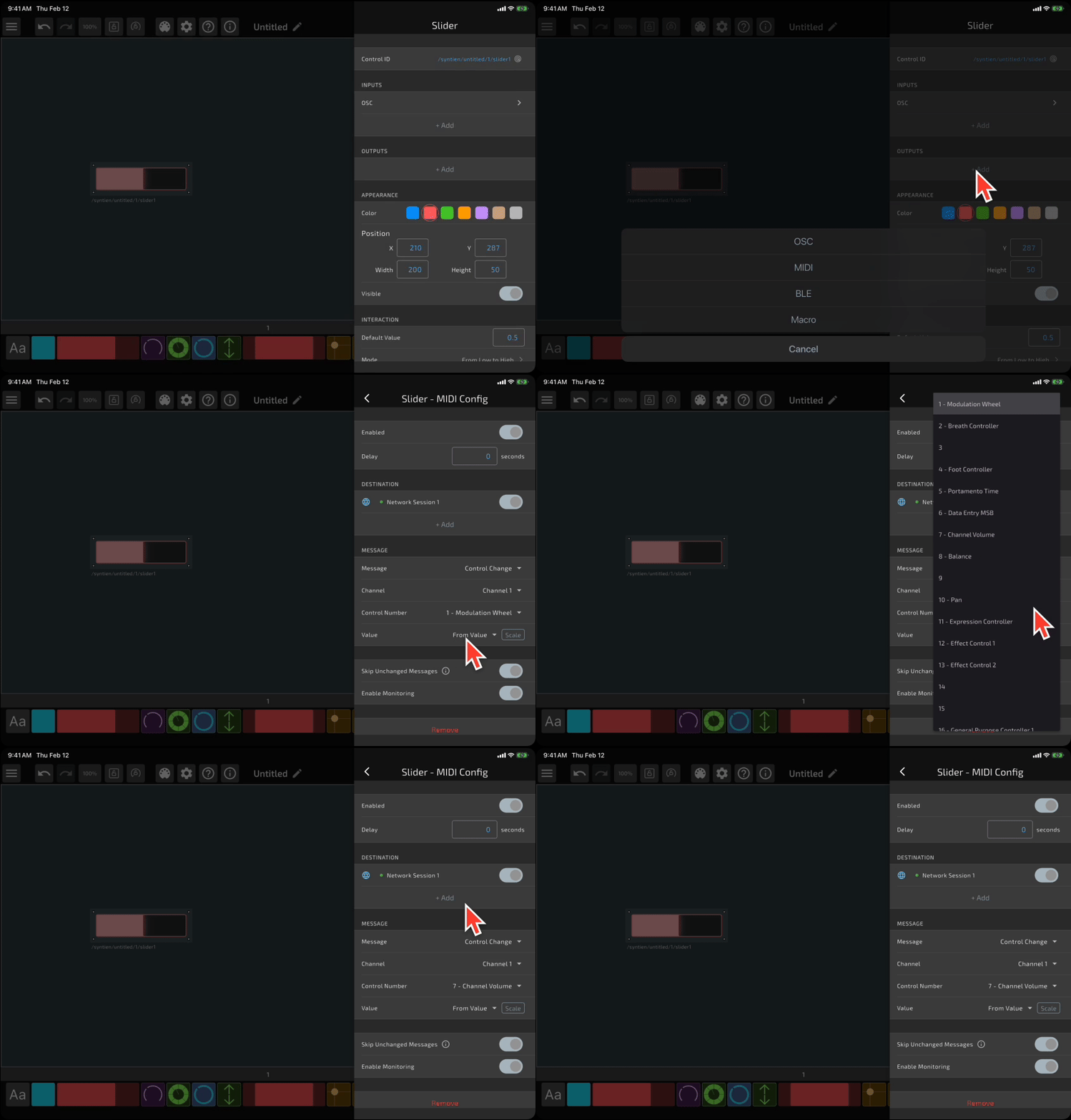
The second output is our least significant bit, or LSB. We'll set this to use a different control number, and we'll scale the value between 0 and 16383. Then, we add a single transformation: modulo 128.
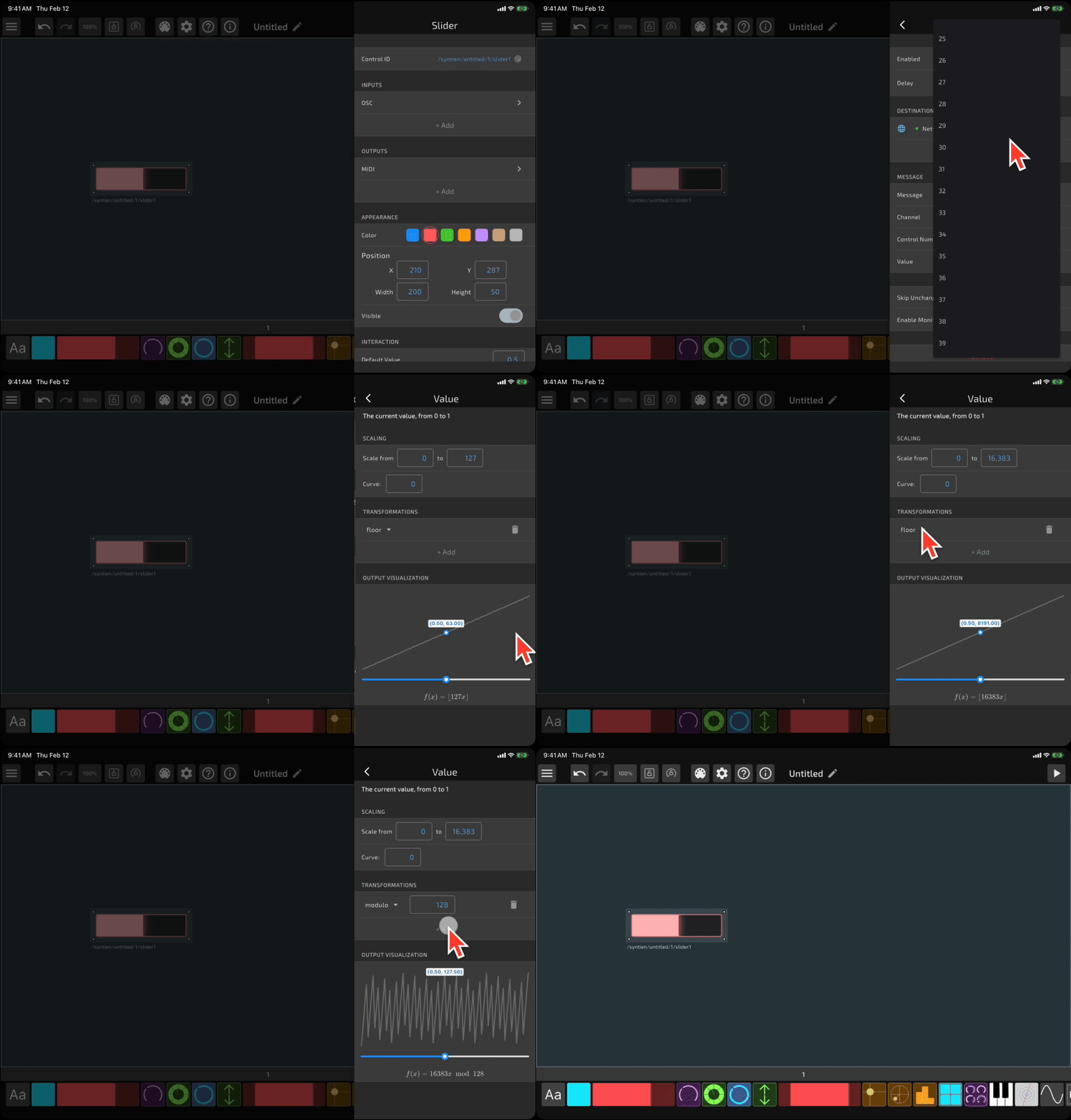
The first output is our "coarse" control - the value will simply go between 0 and 127. The second output is our "fine" control. The value will go between 0 and 127 as the "coarse" control increments by 1!
In your receiving application, you can combine these two values to get a single value between 0 and 16383. The combined value should be MSB * 128 + LSB.