

Keyboard
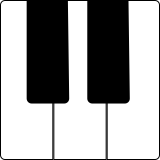
A piano keyboard that can be played in a number of different modes. Scroll the keyboard to change which keys are displayed, or pinch the keyboard to increase or decrease the size of each key. You can also display MIDI note numbers on the keys. The Keyboard control is compatible with styluses such as the Apple Pencil or S Pen. You can use the Pressure and Angle event variables to send expressive data while you play.
Settings
| Setting | Description |
|---|---|
| White Key Width | The width of the white keys on the keyboard. A larger width makes it easier to play individual keys, but shows fewer keys on the screen at once. |
| Key Labels | Choose whether to show note names (C, Db, D, etc.) or MIDI note numbers (60, 61, 62, etc.) |
| Label Notes | Choose whether to show labels on all notes, white keys only, or Cs only |
| Play Mode | In Standard mode, press a key to send a note on message, and release it to send a note off message. In Pad mode, keys will be sustained until re-pressed. Use Legato mode to play monophonic lines. |
| Slide Behavior | When set to "Vibrato", only pressing a key will play the note, and horizontal movements are calculated as a percentage of the key width (useful for vibrato). In "Glissando" mode, you can glissando between keys to trigger the note. Use "Ribbon" mode for continuous pitch changes as you slide your finger across the keys. |
| Sustain Pedal | When set to "Hidden", the sustain pedal button is hidden. When set to "Momentary", the sustain pedal will sustain notes while pressed. When set to "Toggle", the sustain pedal will toggle sustain on or off each time it is pressed. |
| Sostenuto Pedal | When enabled, the sostenuto pedal will sustain only the notes that are being held down when the pedal is pressed. Notes played after the pedal is pressed will not be sustained. |
| Show Latches | When enabled, keys can be "latched" to be sustained indefinitely until unlatched. |
| Latch Behavior | Only relevant when latches are shown. When set to "Manual", latches are activated by pressing the latch. When set to "Automatic", latches are activated automatically by pressing the key (useful for pads, for example). |
| Equal Height Keys | When enabled, all keys will have the same height and width. May be useful in Ribbon mode to create smooth transitions agnostic of whether you're working with white keys or black keys. |
| Show Touch Markers | Only relevant for latched keys. When enabled, they'll show you where you last touched the key so that you can smoothly transition to new values when you re-press the key. |
| Smooth Horizontal Transitions | Only relevant for latched keys. If enabled, when you re-press a latched key, the horizontal position will smoothly transition to a new value instead of jumping to it. Useful for gradual changes in expression, pitch bend, etc. |
| Smooth Vertical Transitions | Only relevant for latched keys. If enabled, when you re-press a latched key, the vertical position will smoothly transition to the new value instead of jumping to it. Useful for gradual changes in expression, etc. |
| Scrollable | Whether or not the keyboard can be scrolled to access higher or lower notes. You'll generally want this to be OFF during a performance. You can also use the lock icon to the left of the keyboard to toggle this setting. |
Variables
The following variables can be used when configuring outputs for this control:
| Variable | Description |
|---|---|
| Initial MIDI Note Number | The MIDI note number of the key, from 0 to 127. Includes a decimal representation for microtonal pitches, but this is quantized down to the nearest semitone by default. |
| Current MIDI Note Number | The current MIDI note number of the key, from 0 to 127. Includes a decimal representation for microtonal pitches, but you can quantize this down to the nearest semitone by using a "floor" transformation. |
| Horizontal Position (pixels) | A pixel value indicating the horizontal position of the key press, relative to the left edge of the key |
| Horizontal Position (relative) | A 0-1 value indicating the horizontal position of the key press, relative to the key width. |
| Vertical Position (pixels) | A pixel value indicating the vertical position of the key press |
| Vertical Position (relative) | A 0-1 value indicating the vertical position of the key press, relative to the key height. |
| Horizontal Drag (pixels) | The horizontal drag value of the key in pixels |
| Horizontal Drag (semitones) | The horizontal drag value of the key as a number of semitones from the initial position |
| Horizontal Drag (octaves) | The horizontal drag value of the key as a number of octaves from the initial position |
| Vertical Drag (pixels) | The vertical drag value of the key in pixels |
| Vertical Drag (relative) | The vertical drag value of the key relative to the key height |
| Pressure | The pressure of the key press |
| Pressure Change | The change in pressure from the time the key was pressed |
| Tilt | The tilt of the key press. Only relevant if you're using a tilt-sensitive input device or stylus. |
| Orientation | The orientation of the key press. Only relevant if you're using an orientation-sensitive input device or stylus. |
| Angle Change | The change in angle from the time the key was pressed. Only relevant if you're using a tilt-sensitive and orientation-sensitive input device or stylus. |
| Interaction Type | The category of touch input, such as finger, stylus, etc. 0=touch, 1=stylus, 2=inverted stylus, 3=mouse, 4=trackpad |
| Touch Index | An integer indicating how many touches have occurred to this point. May be useful for receiving applications to distinguish between multiple simultaneous key presses. |
OSC Messages
This control responds to the following OSC messages:
| Message | Description |
|---|---|
<address> position <x> <y> <width> <height> | Sets the control's position. Coordinates are specified in pixels. |
<address> color <blue|red|green|orange|purple|brown|gray> | Sets the control's color. |
<address> whiteKeyWidth <value> | Sets the white key width (20-150 points) |
<address> keyLabelMode <none|midiNoteNumbers|sharps|flats> | Sets the display mode for key labels |
<address> keyLabelFilter <all|whiteKeysOnly|csOnly> | Sets which key labels should be displayed |
<address> mode <standard|pad|legato> | Sets the play mode for the Keyboard control |
<address> slideBehavior <vibrato|glissando|ribbon> | Sets the slide behavior for the Keyboard control |
<address> sustainPedalMode <hidden|momentary|toggle> | Sets the sustain pedal behavior for the Keyboard control |
<address> sostenutoPedalMode <hidden|momentary|toggle> | Sets the sostenuto pedal behavior for the Keyboard control |
<address> showLatches <0|1> | Sets whether or not latches should be displayed |
<address> latchBehavior <manual|autoLatch> | Sets the latch behavior for the Keyboard control |
<address> equalHeightKeys <0|1> | Sets whether or not the keys should have equal height |
<address> scrollable <0|1> | 0 = disable scrolling non-zero = enable keyboard scrolling |
<address> unlatchAll | Unlatch all currently latched keys |
<address> releaseAll | Release all currently pressed keys |