

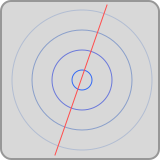
Touch Pad
A versatile control that can track multiple touch points
Settings
| Setting | Description |
|---|---|
| Number of Rows | For display purposes only. The number of rows to divide the touchpad into. |
| Number of Columns | For display purposes only. The number of columns to divide the touchpad into. |
| Smoothing | How much the touchpad "smooths out" your movements to avoid sudden jumps in touch speed value. |
| Visual Feedback | How prominent the touch indicators are on the touchpad surface. Only affects appearance, not functionality. |
| Sticky Threshold | How long you have to hold your touch in place before it becomes "sticky" and remains active even if you lift your finger. |
| Resume Distance | The amount of leeway you get when resuming a sticky touch. If your finger is outside this distance from the sticky touch point, it will start a new touch instead of resuming the old one. |
| Show Palette | When enabled, shows a button that allows you to select a color for your touches. Outgoing messages can include this info if desired, so your receiving application can respond accordingly to different colors. You can also enable or disable "sticky" touches using the palette. |
| Show Eraser | When enabled, shows a button that allows you to quickly clear all touches from the touchpad. |
Variables
The following variables can be used when configuring outputs for this control:
| Variable | Description |
|---|---|
| X | The relative x position of the touch event, from 0 to 1 |
| Y | The relative y position of the touch event, from 0 to 1 |
| X (pixels) | The x position of the touch event, in pixels |
| Y (pixels) | The y position of the touch event, in pixels |
| Speed | The speed of the touch, in pixels per second |
| Pressure | The pressure applied to the touchpad. Only relevant if you're using a pressure-sensitive input device or stylus. |
| Pressure Change | The change in pressure from the time the touchpad was pressed. Only relevant if you're using a pressure-sensitive input device or stylus. |
| Tilt | The tilt of the stylus or input device. |
| Orientation | The orientation of the stylus or input device. |
| Angle Change | The change in angle of the stylus or input device from the moment the touchpad was pressed. |
| Interaction Type | Indicates whether the interaction was performed via touch, mouse, stylus, etc. 0=touch, 1=stylus, 2=inverted stylus, 3=mouse, 4=trackpad |
| Touch Index | The number of tracked presses on the touchpad |
| Color Index | A number (0-6) indicating the color of the touch |
OSC Messages
This control responds to the following OSC messages:
| Message | Description |
|---|---|
<address> position <x> <y> <width> <height> | Sets the control's position. Coordinates are specified in pixels. |
<address> numColumns <count> | Sets the number of grid columns (maximum 16) |
<address> numRows <count> | Sets the number of grid rows (maximum 16) |
<address> smoothing <value> | Sets the smoothing parameter |
<address> visualFeedback <value> | Sets the visual feedback parameter |
<address> stickyThresholdSeconds <value> | Sets the sticky touch threshold parameter |
<address> stickyTouchResumeDistance <value> | Sets the sticky touch resume distance parameter |
<address> showPalette <0|1> | Show or hide the palette button |
<address> showEraser <0|1> | Show or hide the eraser button |
<address> clearTouches | Clear all touches on the touchpad |